YouTube Script Writing Process: A Step-by-Step Guide (India, 2026)
The full YouTube script writing process in 7 steps — idea, hook, outline, body, CTA, SEO, and shorts — for Indian creators in 2026. The pro pipeline, explained.
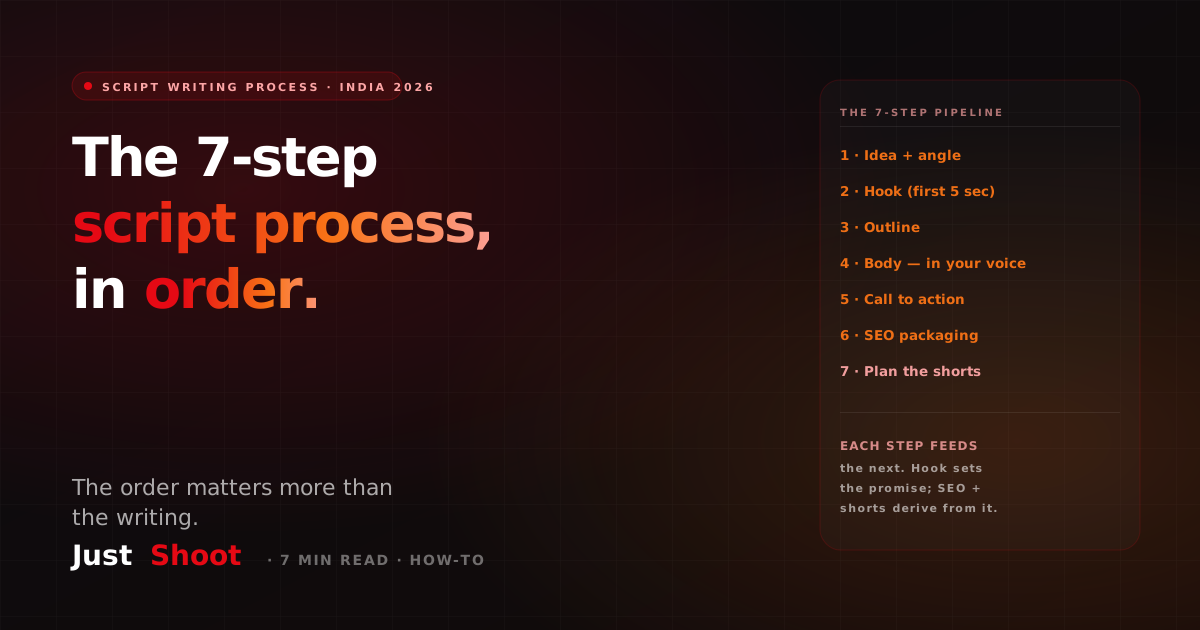
YouTube Script Writing Process: A Step-by-Step Guide (India, 2026)
By Ashok Sachdev, Founder of JustShoot · Published 2026-06-25
Short answer: A professional YouTube script writing process has seven steps — idea, hook, outline, body, call to action, SEO packaging, and shorts. You run them in that order because each step feeds the next: a sharp idea sets up the hook, the hook sets the promise the body must keep, and the SEO and shorts are derived from the finished script, not bolted on after. Most creators write in a different, broken order — they draft the body first and reverse-engineer a hook — which is why their retention sags in the first thirty seconds.
I build an AI scripting tool for Indian creators, so I have seen thousands of scripts. The good ones almost always follow the same pipeline. This is that pipeline, written as a process you can run by hand today — and a note on where the manual version stops scaling.
Why the order matters more than the writing
A YouTube script is not one task; it is a sequence of decisions. The single biggest mistake is starting at the keyboard and "writing the script" as one blob. Do that and you discover, three paragraphs in, that you do not actually know what the video is about — so the hook becomes generic, the middle wanders, and the call to action feels tacked on.
Run the steps in order and each one constrains the next, which is what makes the script tight. The process below is the same spine we encode inside JustShoot's 9-agent pipeline, just unpacked so you can do it yourself.
The 7-step YouTube script writing process
Step 1 — Idea and angle
Pick a topic, then narrow it to one specific angle. "Everything about index funds" is a topic; "the one index-fund mistake that quietly costs you 1% a year" is an angle. The angle is what makes the video clickable and watchable. Spend real time here — a weak angle cannot be rescued by good writing downstream. If you are stuck for angles, our guide to YouTube video ideas for India in 2026 is a good starting point.
Step 2 — The hook (first 5 seconds)
Write the hook before anything else, because it sets the promise the entire video has to keep. The first five seconds decide whether the viewer stays, and on YouTube that is the single largest lever you control. A hook does one of three things: opens a curiosity gap, names a sharp pain, or makes a bold, specific claim. Write three hook variants and keep the strongest. Indian-creator hook patterns — including Hindi and Hinglish openers — are broken down in our hook formulas guide.
Step 3 — The outline
Before you write a single line of the body, lay out the spine: hook → first payoff → 3-4 main beats → the turn → the call to action. An outline is fifteen minutes that saves an hour, because it stops the draft from sprawling. Each beat should earn its place; if a beat does not advance the promise from your hook, cut it.
Step 4 — Write the body in your own voice
Now you write — but in your voice, not generic "YouTube voice." Keep your sentence rhythm, your Hinglish-to-English blend ratio, and your recurring identity markers consistent. This is where ad-hoc AI prompting falls apart: video #1 sounds like you, video #30 sounds like a press release. A consistent written voice is what builds a returning audience, and it is exactly the problem covered in how to write a YouTube script in your own voice with AI. Read the draft aloud once — if a line is hard to say, rewrite it.
Step 5 — The call to action
A good CTA is specific and singular. Do not ask for a like, a subscribe, a comment, and a channel-membership in one breath — pick the one action that matters for this video and make it feel like a natural next step, not a beg. Place it where attention is still high, usually right after the main payoff, not only at the very end.
Step 6 — SEO packaging (title, description, tags)
The script is done; now make it findable. Derive the title from the hook's promise, write a description where the first 150 characters carry the keyword, and add tags and chapters. Crucially, the SEO is derived from the script — the title should match what the video actually delivers, or your click-through-rate climbs while your retention collapses, and YouTube notices. Our description and tags AI workflow walks through this step.
Step 7 — Plan the shorts
A finished long-form script already contains 3-5 native short ideas — the sharpest 30-second moments. Write them as shorts in your voice now, while the context is fresh, rather than crudely clipping the long-form later. Planning shorts during scripting (not after editing) is the difference between shorts that feel native and shorts that feel like leftovers.
Manual process vs the 9-agent version
You can run all seven steps by hand, and for your first videos you should — it teaches you the craft. Here is the honest trade-off once you are publishing weekly:
| Step | By hand | With a script OS |
|---|---|---|
| Idea + angle | 30-60 min research | Suggested from your niche |
| Hook | Write 3, pick 1 | Generated in your hook style |
| Outline + body | 1-2 hrs, voice drifts over time | Held to a persisted Tone Fingerprint |
| CTA + SEO + shorts | Often skipped when tired | Generated from the same script context |
The manual process works; it just does not scale, because the voice-consistency step (4) and the always-do-it-even-when-tired steps (6 and 7) are the first to slip when you are publishing under deadline. That is the gap a script OS fills — not by writing for you, but by holding your voice and running the boring derived steps every single time. For the time-cost math on this, see how long it takes to write a YouTube script.
Where JustShoot fits
JustShoot is an AI Content OS for YouTube: its 9-agent pipeline runs this exact seven-step process inside one voice-locked context. It holds a persisted Tone Fingerprint per channel so step 4 never drifts, writes natively across 11 Indian languages including Hinglish, and generates the SEO packaging and short scripts (steps 6 and 7) from the same script — so your title, thumbnail, and shorts stay aligned instead of pulling in three directions.
What this costs
JustShoot pricing is script-count based — not credits, no rollover, GST-inclusive, monthly only:
- Trial — ₹0 for 7 days, 2 scripts total, no card.
- Starter — ₹499/mo, 3 scripts/month.
- Creator — ₹999/mo, 4 scripts/month (most popular).
- Studio — custom (talk to us).
Every plan includes the full 9-agent pipeline — voice-lock, script, fact-check, storyboard, thumbnail brief, SEO, and shorts. Plans differ only in how many scripts per month, not in features.
Before you write your next script: check how it reads
The fastest way to see whether your scripts hold a consistent voice is to score one. Run a recent script through our free tool:
→ Score your script free with the AI Robot Score — see how robotic or off-voice your writing reads before you hit publish.
FAQ
What are the steps to write a YouTube script? Seven steps, in order: (1) idea and angle, (2) the hook, (3) the outline, (4) the body in your own voice, (5) the call to action, (6) SEO packaging — title, description, tags, (7) plan the shorts. Each step feeds the next, which is why the order matters as much as the writing.
Should I write the hook or the body first? The hook first. The hook sets the promise the whole video has to keep, so writing it first keeps the body focused. Creators who draft the body first and reverse-engineer a hook usually end up with a generic opener and a wandering middle.
How long does the YouTube script writing process take? By hand, a 10-minute script takes most creators 2-4 hours across all seven steps — research and angle eat the most time. AI-assisted scripting cuts the drafting to minutes, but you still own steps 1 and 2 (the idea and the hook), which is where the real value sits. See our time-breakdown guide.
Can AI write my YouTube script in Hindi or Hinglish? Yes. JustShoot writes scripts natively across 11 Indian languages, including Hinglish, with control over the blend ratio and rhythm — so the script reads like you wrote it, not like translated English.
Do I need a script template or a script process? Both, but they solve different problems. A template gives you a fixed structure to fill in; a process tells you the order of decisions that produces a good script in the first place. Use the process to think, the template to write faster.
JustShoot is an AI Content OS for Indian YouTube creators — voice-locked scripts across 11 languages, inside one 9-agent pipeline. See how it works.
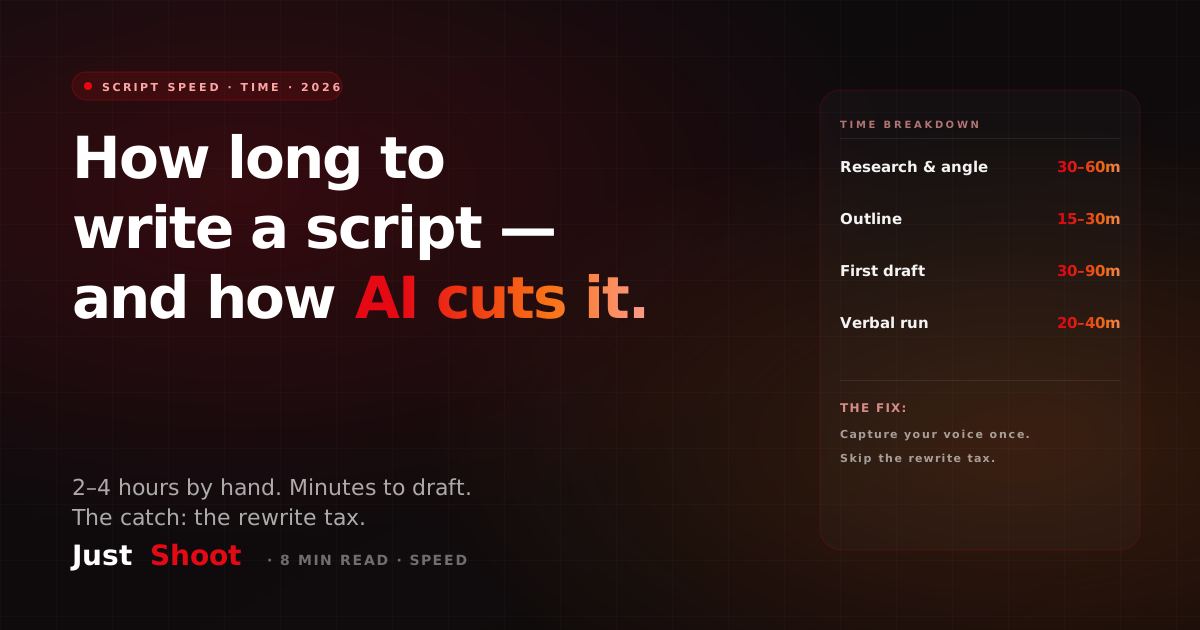
How Long Does It Take to Write a YouTube Script? (And How AI Cuts It)
Writing a YouTube script takes 2–4 hours by hand for a 10-minute video. Here's the real time breakdown — and exactly how AI cuts it to minutes without sounding robotic.
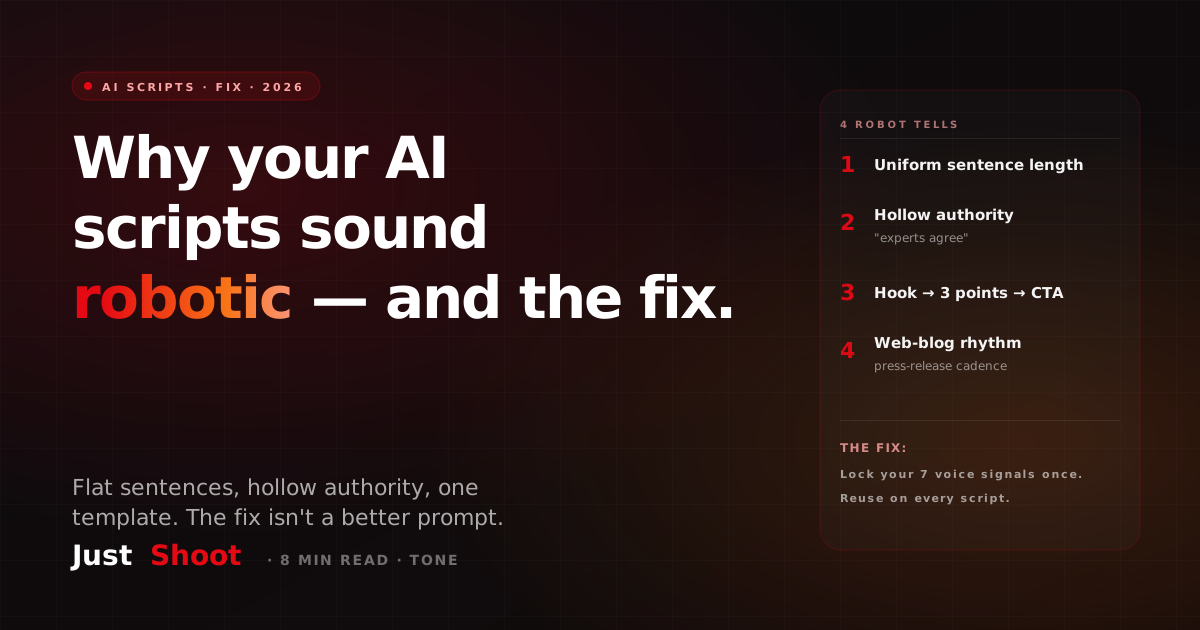
Why Your AI YouTube Scripts Sound Robotic (And How to Fix It)
AI YouTube scripts sound robotic for 3 reasons: uniform sentences, hollow authority, and one rigid template. Here's why — and the real fix for natural, human scripts in 2026.
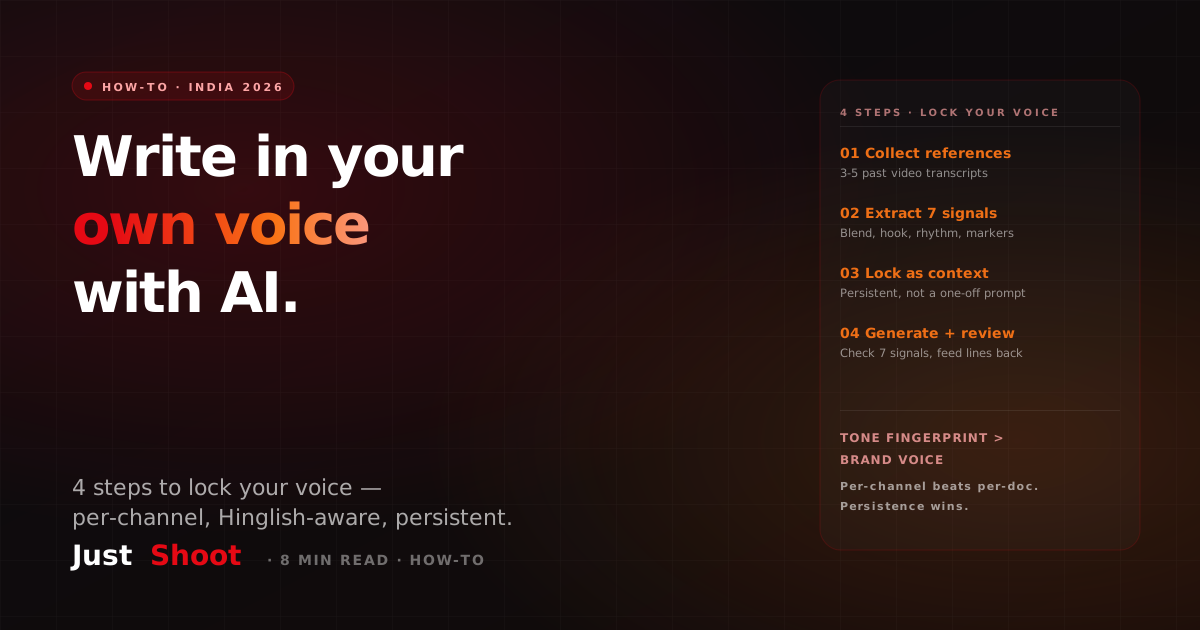
How to Write a YouTube Script in Your Own Voice with AI (2026)
Want AI scripts that sound like you, not a chatbot? Here are the 4 steps to lock your voice — and why a per-channel Tone Fingerprint beats per-document brand-voice tools for India.