How to Write a YouTube Script in Your Own Voice with AI (2026)
Want AI scripts that sound like you, not a chatbot? Here are the 4 steps to lock your voice — and why a per-channel Tone Fingerprint beats per-document brand-voice tools for India.
How to Write a YouTube Script in Your Own Voice with AI (2026)
By Ashok Sachdev, Founder of JustShoot · Published 1 June 2026
Every creator who tries AI for scripts hits the same wall: the draft is grammatically fine, factually mostly right, and completely soulless. It does not sound like you. The fix is not a better prompt or a smarter model — it is giving the AI a reusable, structured profile of how you actually write, and reusing it on every single generation. This guide walks through the exact method, the 4 steps to lock your voice, and why a per-channel approach wins where the popular per-document "brand voice" tools fall short for Indian creators.
The short answer
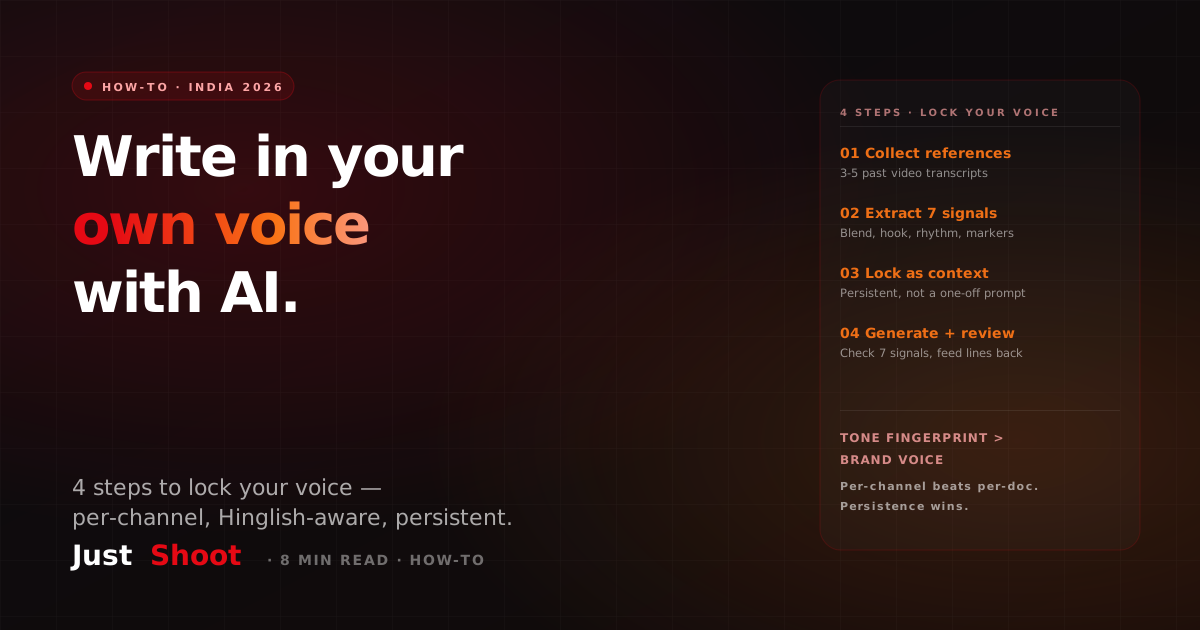
To write a YouTube script in your own voice with AI, extract a reusable voice profile from your past videos — vocabulary, hook style, sentence rhythm, language blend, and signature phrases — then inject it as system context on every script generation, not as a one-time prompt. Four steps: collect references, extract the profile, lock it as persistent context, then generate and review. Persistence is the whole game.
Why a one-time prompt always fails
Most creators "give AI their voice" by typing a description: "I'm a casual Hindi-English finance YouTuber, energetic, I use a lot of analogies." Three things break:
Description is not pattern. What you think you sound like and how you actually write diverge by 30-50% on most channels. You remember your best lines; you forget your filler rhythm, your default hook, the exact ratio at which you switch from Hindi to English mid-sentence.
The model forgets tomorrow. A prompt lives for one session. Ask the same model the same question in three fresh chats and you get three different blend ratios and three different hook styles, because with no anchor it falls back to its training-data average. For "Hindi YouTube," that average reads like a news anchor with English loanwords — nobody's actual voice.
Identity markers vanish. The signature phrases only your channel uses — "bhai ek second," "ab maan lijiye," "asal mein" — are what make a viewer recognise you in three seconds. Teach them today, they're gone tomorrow.
The result is technically-correct, emotionally-generic output. On Indian Hinglish channels, audiences drop 15-20% retention in the first minute when they sense that generic-AI voice (source: JustShoot internal data, A/B test of 40 Hinglish channels, 2026). Voice is a retention metric, not a vanity one. If you want the underlying mechanism in depth, we broke it down in can AI write YouTube scripts in my voice (Hindi).
The 4 steps to lock your voice
This is the verbatim method. It works whether you do it by hand or with a tool.
Step 1 — Collect 3-5 reference videos. Pick your best-performing or most "you" videos and get their transcripts (YouTube auto-captions, a transcription tool, or paste the URLs into a tool that does it for you). Three is the floor; five is where the pattern stabilises. Mix hooks, mid-roll, and outros so the profile sees how you open, transition, and close.
Step 2 — Extract a 7-signal voice profile. From those transcripts, pull out: (1) vocabulary level — simple, moderate, or advanced; (2) language balance — your exact Hindi/English/regional ratio, including where you switch (English on stats, Hindi on emotion is the common Indian pattern); (3) sentence rhythm — average length and where you go short for emphasis; (4) hook strategy — your dominant opening (question, stat, story, personal frame); (5) identity markers — the 5-10 phrases only you use; (6) signature transitions — your connectors ("lekin," "asal mein," "ab maan lijiye"); (7) close pattern — how you end and structure the CTA. Write this into a single document.
Step 3 — Lock the profile as persistent system context. This is the step everyone skips, and it is the one that matters. Do not paste your voice into the chat as a message — set it as system context that gets prepended to every generation. In a tool like ChatGPT you can approximate this with Custom Instructions or a saved Project; the cleaner version is a tool that stores the profile per-channel and injects it automatically. The goal: the model never has to remember your voice, because the system reminds it on every call.
Step 4 — Generate, then review on the 7 signals. Generate the script, then read it back checking each signal: is the hook your hook? Is the blend ratio right? Are your identity markers present? Two-line edits at this stage close the last 5-10% gap (usually fresh idiom or current-events references the profile hasn't seen). Add new lines you like back into the profile so it improves with every video.
Do this manually and you'll spend roughly 60 minutes building the profile and then re-paste it on every prompt. Do it with a purpose-built tool and the profile is built in about 60 seconds and reused automatically — but the method is identical either way.
Where per-document "brand voice" tools fall short for India
Here's the honest part. Tools like Jasper own the top SERP answer for "write in your brand voice," and Jasper's Brand Voice feature is genuinely good — it analyses sample text and applies a tone. But it was built for marketing teams, and two gaps matter for an Indian YouTuber:
Per-document vs per-channel. Jasper's brand voice is typically scoped to a workspace and tuned for marketing copy — blog posts, ads, emails. A YouTube creator needs a profile bound to their channel, derived from spoken video transcripts (which read nothing like marketing copy), and reused across a whole content pipeline — not re-described per document.
Hinglish is a blend-ratio problem, not a translation problem. A 65/35 Hindi-English script is a fundamentally different product from a 50/50 one, and general brand-voice tools default to whichever language you wrote your sample in. Holding a measured blend ratio per sentence — English clustered on stats, Hindi on story — is not something English-first marketing tools were designed to do. That gap is exactly why voice-clone vs tone-clone matters for YouTube: you don't want a synthetic voice, you want your written style, persisted and language-aware.
How JustShoot does this in 60 seconds
JustShoot is built around exactly this method. You paste your channel URL, pick 2-5 reference videos, and it transcribes them (yt-to-text, Azure Speech fallback), runs a dedicated analyzer that extracts all 7 signals, and ships a versioned Tone Fingerprint ("v2 · 5 transcripts"). That fingerprint is then injected as system context into every one of the nine specialised agents — script, research, fact-check, legal review, storyboard, thumbnail, SEO, shorts, distribution — so the whole package comes out in your voice, not just the script. The difference from a brand-voice tool: it's per-channel, derived from spoken video, Hinglish-aware, and persistent by default. Run up to three separate fingerprints if you operate multiple channels.
For a deeper tool-by-tool comparison of where each option lands, see the best AI script generator for Indian YouTubers in 2026.
Worth knowing while you choose: India's creator economy is projected to cross $1 billion in size, with over 100 million creators active across platforms (source: EY-FICCI India Media & Entertainment report context, 2024-2026). The tooling that wins for that market fits a tier-2 creator's budget and language, not a Silicon Valley default — Starter ₹499, Pro ₹699, Studio ₹899 per month, credit-based, 20% off annual, vs the ~$20/month (USD-billed) general tools.
Quick checklist before you generate
- 3-5 reference transcripts collected (mix of hook, mid, outro).
- All 7 signals written into one profile document.
- Profile set as persistent system context, not a one-time message.
- A generate-then-review loop on the 7 signals, feeding good lines back in.
Want to see your profile before you commit? Run your channel through the free Tone Fingerprint test for the 7-signal breakdown in 60 seconds, or paste a current AI draft into the free AI Script Robot-Score to measure how generic it reads today. No signup for either.
FAQ
Q: How do I make AI write a YouTube script in my own voice? Extract a reusable 7-signal voice profile from 3-5 of your past video transcripts — vocabulary, language blend, sentence rhythm, hook style, identity markers, transitions, close pattern — then set it as persistent system context so it's applied on every generation, not pasted once per prompt. Generate, then review against the 7 signals and feed good lines back in.
Q: Why does ChatGPT not sound like me even when I describe my style? Because a description is not a pattern, and a prompt only lasts one session. ChatGPT has no memory of your past videos, drifts to its training-data average across fresh chats, and forgets your signature phrases by the next session. You need a stored profile reused as context, not a one-time description.
Q: Is Jasper Brand Voice good enough for a YouTube channel? Jasper Brand Voice is strong for marketing copy, but it's per-document/workspace and English-first. YouTube creators need a per-channel profile built from spoken-video transcripts and a measured Hinglish blend ratio, reused across a whole script-to-distribution pipeline — which is what a Tone Fingerprint does.
Q: Can I do this manually without a paid tool? Yes. Build the 7-signal profile by hand (about 60 minutes), save it as Custom Instructions or a Project, and re-paste it as system context on each prompt. It partially closes the gap. A tool like JustShoot just builds the profile in ~60 seconds and injects it automatically every time.
Q: How many reference videos do I need for an accurate voice profile? Three is the minimum; five is where the pattern stabilises. Mix hooks, mid-roll, and outros so the profile captures how you open, transition, and close. The profile improves as you add more videos — most creators rebuild every 10-15 uploads as their style evolves.
Stop re-describing your voice every session. See your channel's profile in 30 seconds with the free Tone Fingerprint test, check how generic your current scripts read on the AI Script Robot-Score, or start a free trial and generate one script against your real videos — voice locked from the first draft.
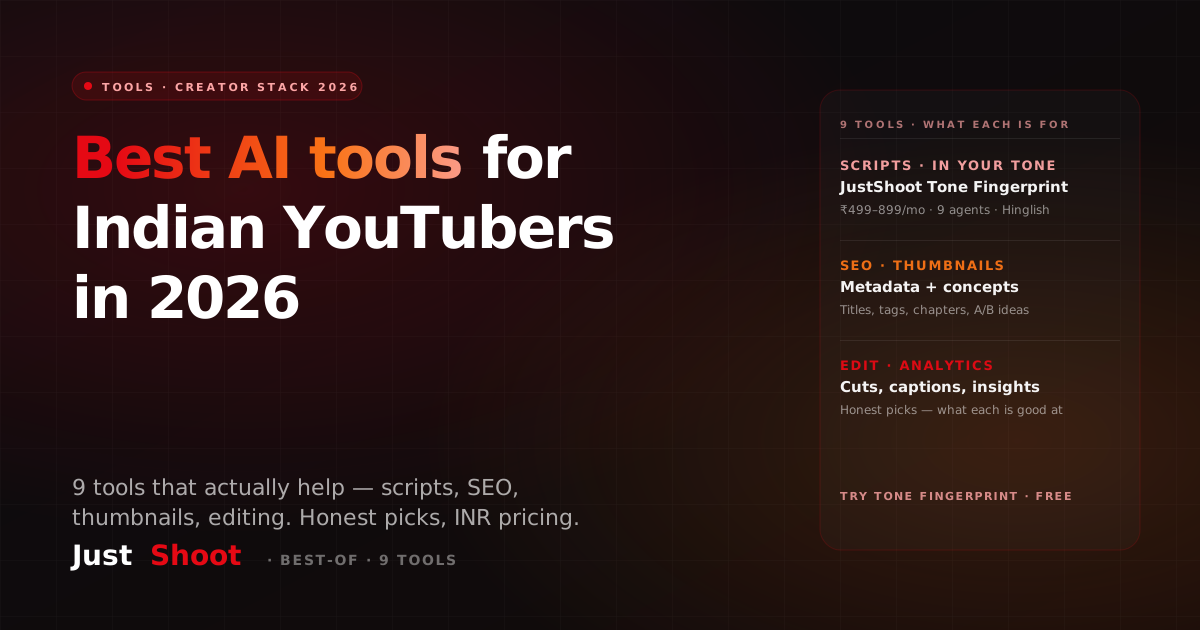
Best AI Tools for Indian YouTubers in 2026 — 9 Tools That Actually Help
The 9 best AI tools for Indian YouTubers in 2026 — for scripts, SEO, thumbnails, editing & analytics. Honest picks, INR pricing, and what each one is genuinely good at.
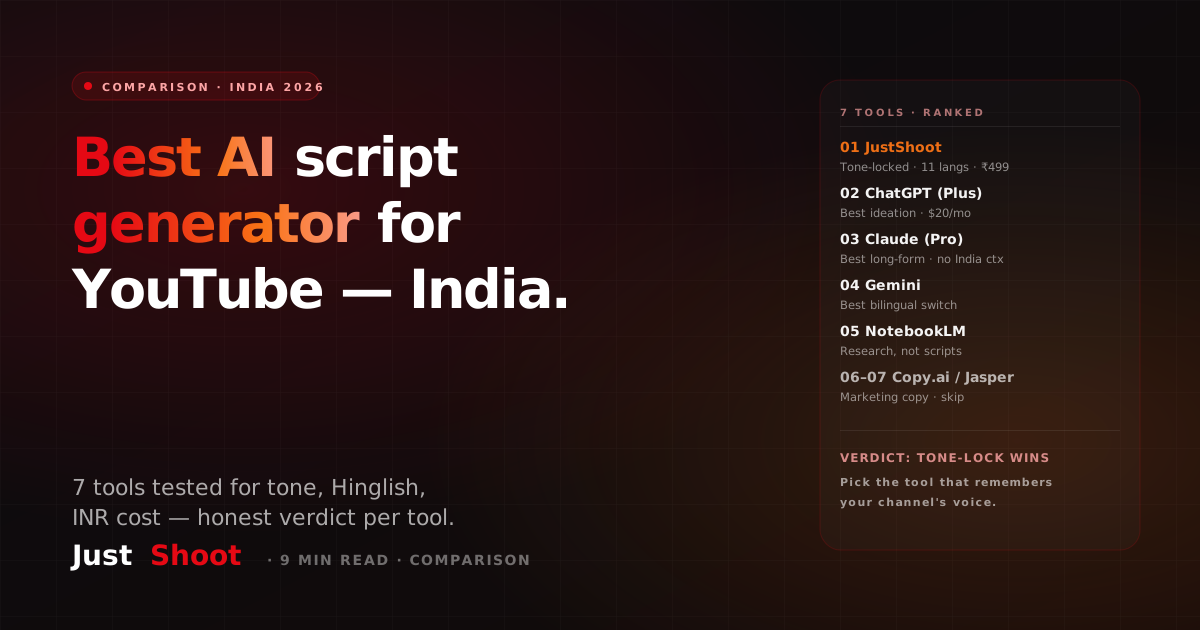
Best AI Script Generator for YouTube in India 2026 — Honest Rundown of 7 Tools
Which AI script generator actually works for Indian YouTubers in 2026 — tone match, Hinglish, INR pricing, and the one layer every tool below misses. Ranked honestly.