Faceless YouTube Channel Script Workflow with AI (India, 2026)
How to actually produce a faceless YouTube channel in India with AI — the script-first workflow, voice-locked tone, and tools you still need. 2026 guide.
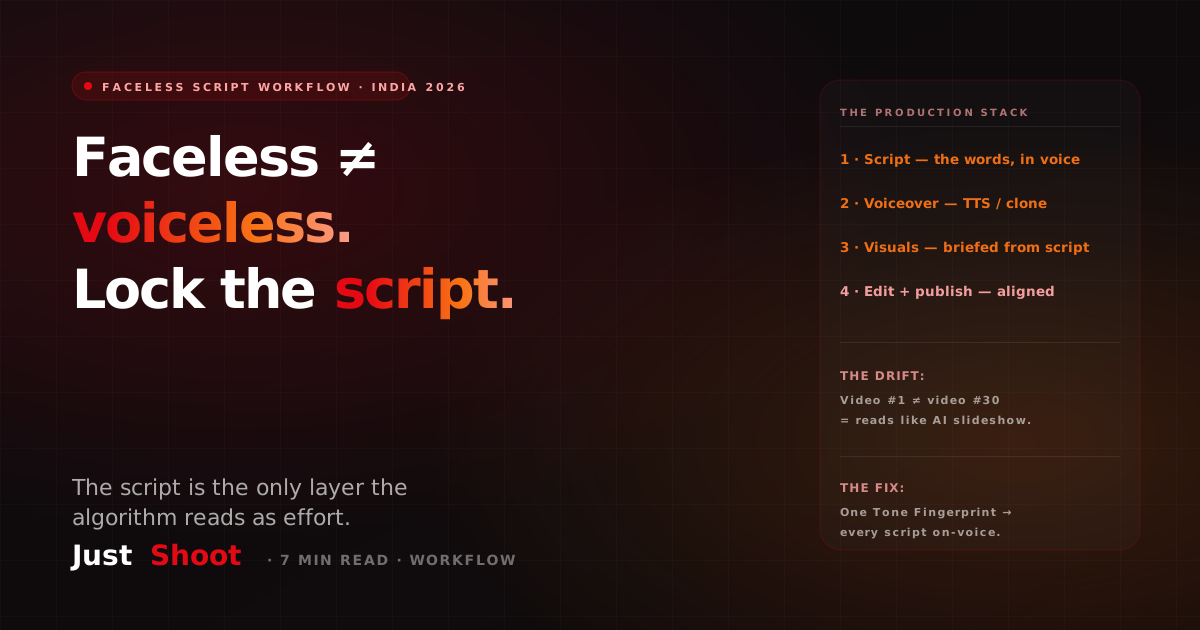
Faceless YouTube Channel Script Workflow with AI (India, 2026)
By Ashok Sachdev, Founder of JustShoot · Published 2026-06-24
A faceless YouTube channel still needs one thing the listicles skip: a consistent written voice. Faceless does not mean voiceless. If every video is prompted from scratch, your script drifts — and a drifting script is exactly what makes a faceless channel read like every other AI slideshow channel on the feed. This is the production workflow — the part that comes after you have picked a niche — written for Indian creators in 2026.
If you are still choosing what kind of channel to run, start with our 7 AI-friendly faceless niches for India first, then come back here to actually build the pipeline.
The mistake almost every faceless creator makes
Here is the trap. You watch a "start a faceless channel in 2026" video, you set up an AI voice tool, you generate B-roll, and you write each script by pasting a fresh prompt into ChatGPT every single time. Video #1 sounds curious and warm. Video #12 sounds like a press release. Video #30 sounds like a different channel entirely.
The audio is consistent — same voice clone, same TTS settings. But the words are not. The hook style changes, the rhythm changes, the Hinglish-to-English ratio wobbles, and the little identity markers that made video #1 feel human are gone. Viewers feel that drift even if they can't name it. Retention drops, and YouTube's systems treat low-effort, templated, identical-narration content harshly — that is precisely the "inauthentic content" line drawn in YouTube's 2026 AI content policy, where mass-produced and repetitive narration is what gets demonetized, not AI assistance itself.
So the real differentiator on a faceless channel in 2026 is not the avatar or the voice — those are commodities now. It is whether your script holds a stable voice across 50 videos.
The faceless production stack: what each layer actually does
A faceless video is four production layers. Be honest about which ones a tool truly handles versus which it just touches.
| Layer | What it does | Where it usually breaks |
|---|---|---|
| Script | The words — hook, body, CTA, in your channel voice | Drifts when prompted ad-hoc each time |
| Voiceover | How it sounds — TTS or voice clone | Easy to keep consistent (one preset) |
| Visuals | B-roll, stock, AI imagery, motion | Generic if not briefed from the script |
| Edit + publish | Cut, caption, title/description/tags, upload | Title/thumbnail drift from the script |
Most creators over-invest in layers 2 and 3 (the shiny audio and visual tools) and under-invest in layer 1, which is the only layer the algorithm reads as "effort." Get the script layer right and the others fall into line, because everything downstream — the visuals brief, the title, the thumbnail — is derived from the script.
The script-first faceless workflow (7 steps)
This is the workflow we recommend, ordered so the script anchors everything that follows.
- Lock your channel voice once, not per video. Before you write video #1, define the voice: hook style, sentence rhythm, Hinglish blend ratio, and 2-3 identity markers (a recurring phrase, a way you open, a sign-off). This is the single most important step and the one ad-hoc prompting skips.
- Pick the topic and the angle. Faceless niches reward a sharp angle — "the one stat nobody mentions about X" beats "everything about X."
- Write the hook first. Faceless retention lives or dies in the first 5 seconds because there is no face to hold attention — only the words and the promise.
- Write the body in your locked voice. Keep the rhythm and blend ratio steady so video #30 sounds like video #1.
- Plan the visuals from the script. Each section of the script should name what's on screen, so your B-roll briefs match the words instead of floating generically.
- Generate the voiceover. Now — not before — feed the finished, voice-consistent script to your TTS or voice-clone tool.
- Plan the shorts before you publish. A faceless long-form script contains 3-5 native short ideas; write them in-voice rather than clipping after the fact. (More on this in our Hindi/Hinglish Shorts script guide.)
Notice the order: voice → script → visuals → audio → shorts. The script sits in the middle and feeds everything. Lead with audio or visuals and you will spend every video fighting drift.
Where JustShoot fits (and where it doesn't)
Let's be honest about the boundary. JustShoot is an AI Content OS for YouTube — it owns the script and planning layer, not the audio or the editing.
What JustShoot's 9-agent pipeline does for a faceless channel:
- Holds a persisted Tone Fingerprint per channel, so the written voice stays locked across every video — the exact drift problem above.
- Writes faceless-friendly scripts natively across 11 Indian languages including Hinglish, with rhythm and blend control.
- Plans the visuals brief and the native short scripts (agent #07) from the same script context, so title, thumbnail, and shorts align instead of drifting.
What you still need beyond JustShoot:
- A voiceover tool (TTS or voice clone) for the audio — JustShoot writes the words, it does not generate the sound.
- An editor (CapCut, Premiere, or an AI editor) to assemble visuals and captions.
That honest split matters: a faceless channel is a stack, and no single tool owns all four layers. JustShoot's job is to make sure the layer the algorithm actually rewards — the script — never drifts.
What this costs
JustShoot pricing is simple and script-count based — not credits, no rollover, GST-inclusive, monthly only:
- Trial — ₹0 for 7 days, 2 scripts total, no card.
- Starter — ₹499/mo, 3 scripts/month.
- Creator — ₹999/mo, 4 scripts/month (most popular).
- Studio — custom (talk to us).
Every plan includes the full 9-agent pipeline — voice-lock, script, fact-check, storyboard, thumbnail brief, SEO, and shorts. Plans differ only in how many scripts per month, not in features. For a faceless creator publishing weekly, Creator covers a month of voice-consistent scripts; you add your own voiceover and editing tools on top.
Before you commit: check your script's voice consistency
The fastest way to see whether your faceless scripts drift is to score them. Run a recent script through our free tool and see how robotic or off-voice it reads:
→ Build your free Tone Fingerprint — capture your hook style, rhythm, and Hinglish blend so every faceless video stays in your written voice.
FAQ
Does a faceless YouTube channel still need a script in my own voice? Yes. Faceless means no face on camera — it does not mean no voice in the writing. A consistent written voice (hook style, rhythm, Hinglish blend, identity markers) is what separates a faceless channel that builds an audience from one that reads like a generic AI slideshow. The audio is easy to keep consistent; the script is where most channels drift.
Can AI write faceless YouTube scripts in Hindi or Hinglish? Yes. JustShoot writes faceless-friendly scripts natively across 11 Indian languages, including Hinglish, with control over the blend ratio and rhythm so your scripts stay on-voice instead of reading like translated English.
Will a faceless AI channel get demonetized in 2026? Not for using AI. YouTube's 2026 policy allows AI-assisted content with meaningful human involvement; it penalizes mass-produced, templated, identical-narration content. A voice-locked, genuinely-edited faceless channel stays on the safe side of that line. See our YouTube AI content policy explainer.
What tools do I need to run a faceless channel besides a script tool? At minimum: a voiceover tool (TTS or voice clone) for audio, and a video editor (CapCut, Premiere, or an AI editor) for visuals and captions. JustShoot covers the script and planning layer — the words and the brief — not the audio or the edit.
How much does an AI faceless script workflow cost in India? JustShoot starts at ₹0 (7-day trial, 2 scripts), then Starter ₹499/mo (3 scripts) or Creator ₹999/mo (4 scripts, most popular), GST-inclusive, no rollover. You add your own voiceover and editing tools on top — typically a few hundred rupees more per month depending on the tools you pick.
JustShoot is an AI Content OS for Indian YouTube creators — voice-locked scripts across 11 languages, inside one 9-agent pipeline. See how it works.
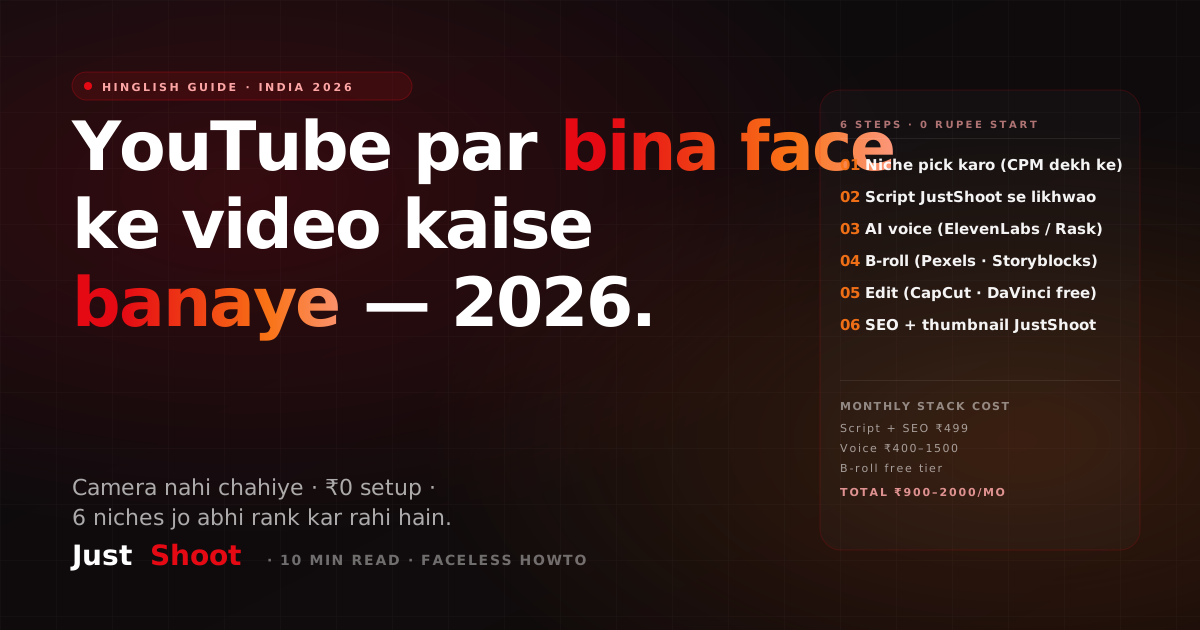
YouTube Par Bina Face Ke Video Kaise Banaye 2026 (Full Guide)
Bina face dikhaye YouTube video kaise banaye 2026 mein — AI script, voice clone, B-roll stack, aur 30-minute Hinglish workflow. Indian creators ke liye step-by-step.
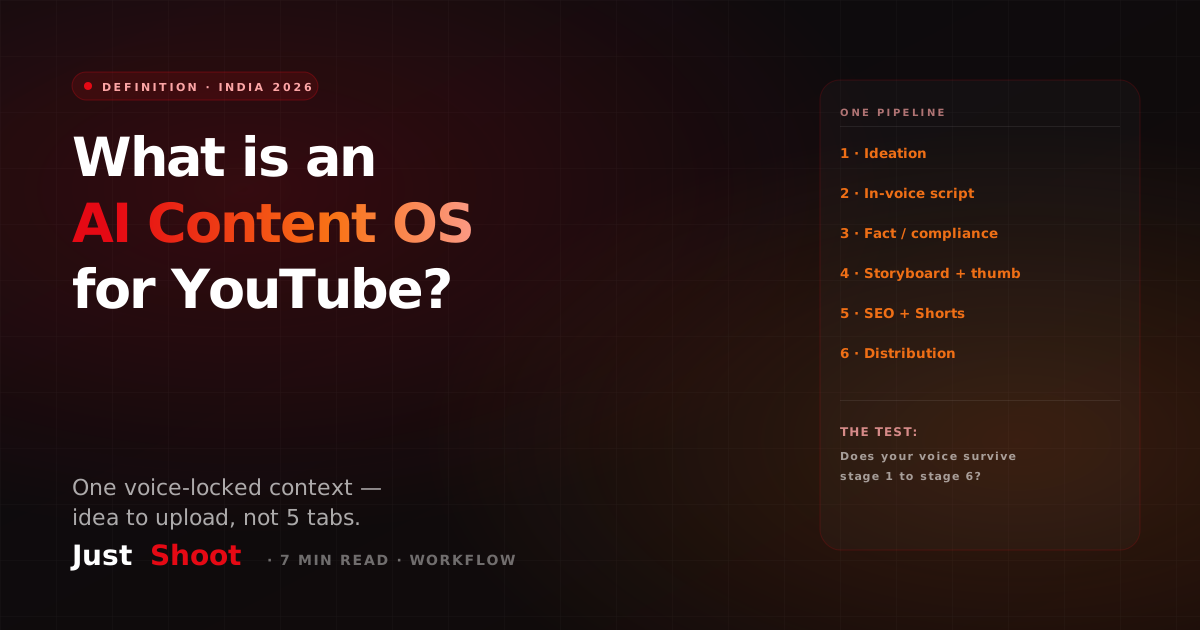
What Is an AI Content OS for YouTube? (And Why Indian Creators Are Switching in 2026)
An AI Content OS for YouTube is one system that runs ideation to distribution in a single voice-locked context. Here's what it actually means and why Indian creators are switching in 2026.
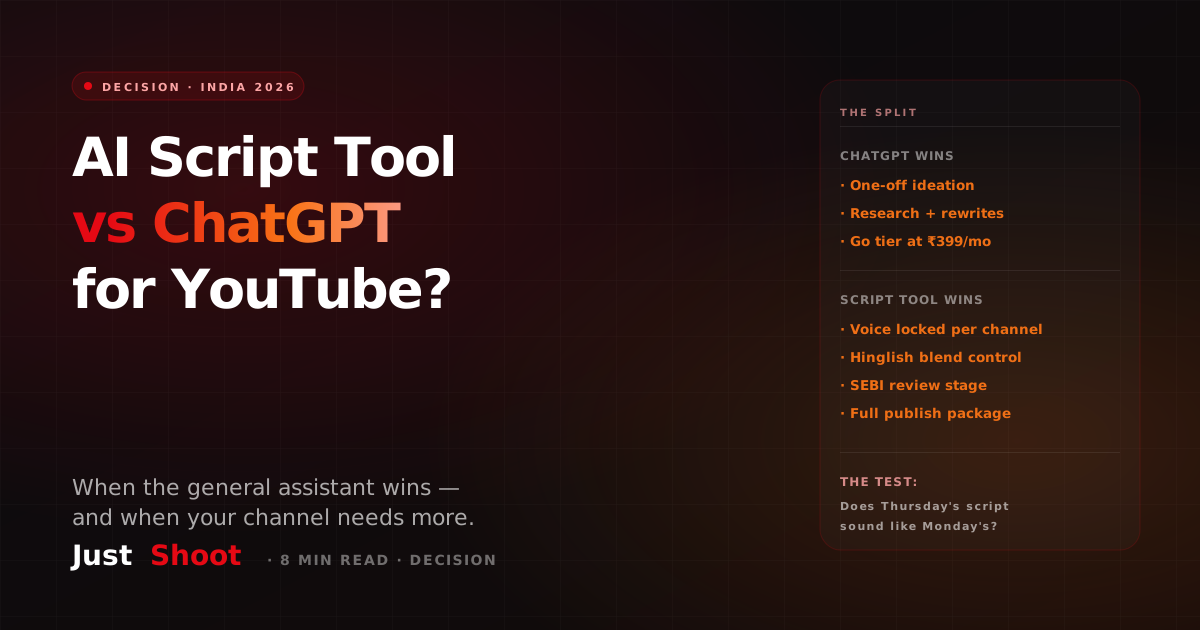
AI Script Tool vs ChatGPT for YouTube: Which Should Indian Creators Use? (2026)
ChatGPT vs a purpose-built AI script tool for YouTube: an honest 2026 decision guide for Indian creators on voice, Hinglish control, SEBI review and cost.