How to Repurpose YouTube into Shorts + Reels with AI (India 2026)
Turn one YouTube video into 5+ Shorts and Reels. Here's a platform-aware AI workflow for Indian creators — hooks, captions, tone, ratios — in 2026.
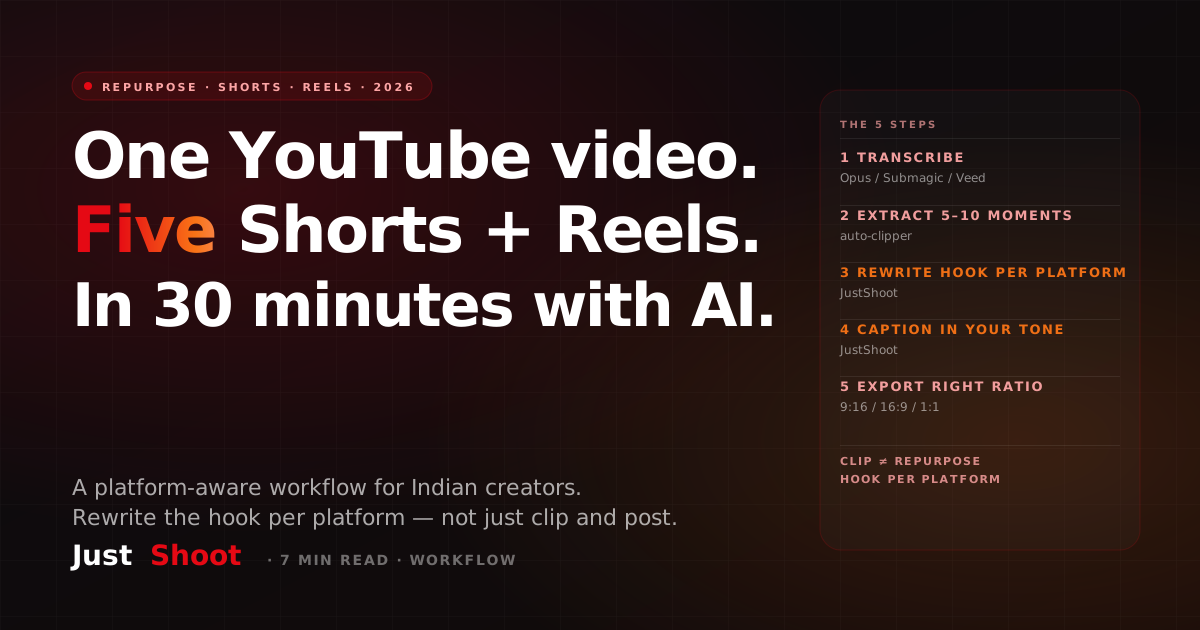
How to Repurpose YouTube into Shorts + Reels with AI (India 2026)
By Ashok Sachdev, Founder of JustShoot · Published 12 June 2026 · Last updated 12 June 2026
Short answer: You can repurpose one YouTube long-form video into 5–10 Shorts, Reels and clips in under 30 minutes with AI — if you use a platform-aware workflow, not just a generic clipper. The 5 steps: (1) auto-transcribe, (2) extract the 5–10 strongest moments, (3) write a new hook for each platform (Reels ≠ Shorts ≠ LinkedIn), (4) generate captions in your tone, (5) export at the right ratio. Opus Clip and Submagic handle steps 1–2 well; JustShoot does steps 3–5 in your voice.
Why generic clippers leave engagement on the table
Let me be clear about what this post is not: it's not a takedown of Opus Clip or Submagic. Both are genuinely good at the job they sell — finding clippable moments in long footage and burning in dynamic captions. If you're clipping manually in 2026, either one will save you hours. We compare them honestly in JustShoot vs Opus Clip and JustShoot vs Submagic, and the verdict in both is "different jobs — use both."
Here's the gap they leave: a clip is not a Short. When a clipper cuts minute 4:32–5:02 of your video and posts it everywhere, the first second of that clip is whatever you happened to be saying at 4:32 — a mid-thought sentence written for viewers who'd already watched four minutes of context. That's not a hook; that's an excerpt.
And the platforms punish excerpts differently, because their viewers arrive differently:
- YouTube Shorts viewers come from search, suggested and the Shorts shelf — many are your subscribers or intent-driven browsers. An answer-first opening works.
- Instagram Reels viewers are interest-feed swipers with zero context about you. You get roughly one second of pattern-interrupt before the swipe.
- LinkedIn clips play muted in a professional feed — the on-screen text is the hook.
Same 30 seconds of footage, three different first lines. That rewrite — per platform, in your voice — is the step generic clippers skip, and it's where repurposed content either earns followers or pads vanity post-counts. (Platform guidance backs the split: YouTube's official Shorts best-practices at creators.youtube and Meta's Reels guidance for creators both emphasise native-to-platform openings; see Sources.)
The 5-step AI repurposing workflow
The whole system, before we unpack it:
- Transcribe the long-form video automatically.
- Extract the 5–10 strongest standalone moments.
- Rewrite the hook for each clip, per platform.
- Caption in your tone — not auto-caption tone-drift.
- Export at the right ratio and schedule natively.
Steps 1–2 are a solved problem — buy, don't build. Steps 3–5 are writing problems, which is why they belong to a script tool, not a clipper.
Steps 1–2 — transcribe + extract moments (Opus Clip / Submagic territory)
Step 1 — Transcribe. Every modern clipper auto-transcribes on upload (Opus Clip per opus.pro; Submagic per submagic.co — both verified June 2026). Nothing more to decide.
Step 2 — Extract moments. The AI scores your transcript for clippable segments — complete thoughts, emotional spikes, list items, contrarian claims. Take its top 10 candidates but apply one human filter: a great clip answers one question or lands one emotion, standalone. Kill any candidate that needs the video's context to make sense, however good the moment felt in the original. Aim to shortlist 5–6 from 10.
Steps 3–5 — hook, caption-tone, ratios (the part that decides performance)
Step 3 — Rewrite the hook per platform. For each shortlisted clip, write a fresh opening line per destination:
- Shorts: lead with the payoff — "Yeh galti 90% naye YouTubers karte hain…"
- Reels: pattern-interrupt first — a bold claim or visual contradiction in second one.
- LinkedIn: the on-screen text line carries it — write it like a headline.
This is exactly what the free Hook Generator does — feed it the clip's core idea and get platform-shaped hook options. For the craft behind why hooks differ by format, see how to make viral YouTube Shorts in India.
Step 4 — Caption in your tone. Auto-captions transcribe what you said in the long form; good Shorts captions are often punchier rewrites — and if you publish in Hinglish, auto-tools drift toward formal English or mangled Devanagari. Run caption text through your Tone Fingerprint so the on-screen words sound like your channel, and keep a per-platform caption template so structure (hook line → value → CTA) is never improvised. If you script Shorts from scratch in Hindi, the Shorts script generator guide covers that lane.
Step 5 — Export at the right ratio. 9:16 for Shorts/Reels/TikTok, 1:1 still works for some LinkedIn feeds, 16:9 stays for the long form. Reframe per export — don't letterbox a 16:9 crop into 9:16 and call it a Reel. Then upload natively to each platform rather than cross-posting watermarked files.
Inside JustShoot, steps 3–5 are what the Shorts agent (#08) does with your tone profile applied — but the workflow above works tool-by-tool too.
A worked example: one 10-minute video → 6 pieces
Say your long form is "5 mutual fund mistakes beginners make" (10 minutes):
- Short 1 (mistake #1): hook rewritten answer-first; 35s; 9:16.
- Short 2 (mistake #3, the contrarian one): hook leads with the contrarian claim; 40s.
- Short 3 (your personal story from the intro): story-cold-open hook; 50s.
- Reel 1 (mistake #1 again): different hook — pattern-interrupt first second; trending audio bed low.
- Reel 2 (the checklist moment): save-bait framing ("save this before you invest").
- LinkedIn clip (the data moment): headline-style on-screen text; captions assumed muted.
Notice mistake #1 ships twice with two different hooks — that's the whole thesis. Each piece CTAs back to the long form ("full breakdown on the channel"), which is also how repurposing feeds monetization rather than cannibalising it — context in YouTube Shorts monetization in India.
Total desk time once fluent: 25–30 minutes for all six.
Common mistakes (the three that cost the most)
- Same hook on every platform. The #1 killer. A Shorts-style answer-first opening dies in the Reels feed, and vice versa. One clip, one hook per platform — always.
- Auto-caption tone-drift. Captions that say "One should avoid these errors" over footage of you saying "bhai, yeh mat karo" — viewers feel the mismatch instantly. Tone-lock the caption text.
- Wrong ratio / lazy crop. Letterboxed 16:9 inside a 9:16 frame signals "repost" to both the algorithm and the viewer. Reframe natively.
Bonus mistake: giving away the entire answer in the Short. Tease the depth; the Short is the trailer, the long form is the film.
FAQ
Can AI really turn one YouTube video into multiple Shorts? Yes — clipping tools like Opus Clip and Submagic auto-extract 5–10 candidate moments from a transcript. The performance of each clip then depends on the hook and caption written for each platform, which is the step generic clippers don't do well.
What's the difference between a Shorts hook and a Reels hook? Audience arrival. Shorts viewers come from search and suggested — answer-first hooks work. Reels viewers are interest-feed swipers with no context — you need a one-second pattern interrupt. Same clip, different first line.
Do I still need Opus Clip if I have JustShoot? Yes, if you want auto-clipping — Opus Clip and Submagic handle moment-extraction and caption-burn well, and we don't replace that. JustShoot adds the per-platform hook, tone-locked captions and script-side rewrite they don't do. Use both; see the comparison.
How many Shorts should one long-form video produce? Aim for 3–6 strong clips, not 10 mediocre ones. The filter: each clip must answer one question or land one emotion standalone, with its own platform-shaped hook and caption.
Will repurposed Shorts hurt my long-form watch time? Done right, they feed it — each Short teases the full video and CTAs to the channel. The risk is shipping the complete answer in the Short, leaving no reason to click through. Tease, don't exhaust.
Try the workflow on your last upload: shortlist five moments, then generate a platform-specific opening line for each with the free Hook Generator — and grab a per-platform caption template so step 4 takes minutes, not evenings.
No affiliation with Opus Clip, Submagic or Veed — they're cited as tools that do their job well.
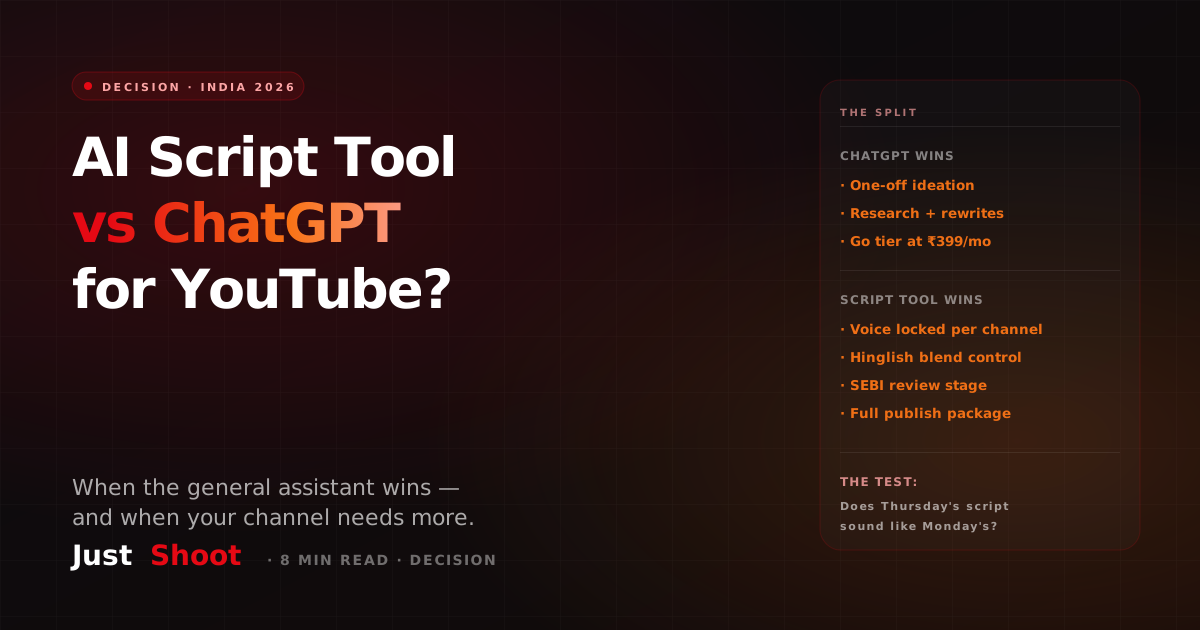
AI Script Tool vs ChatGPT for YouTube: Which Should Indian Creators Use? (2026)
ChatGPT vs a purpose-built AI script tool for YouTube: an honest 2026 decision guide for Indian creators on voice, Hinglish control, SEBI review and cost.
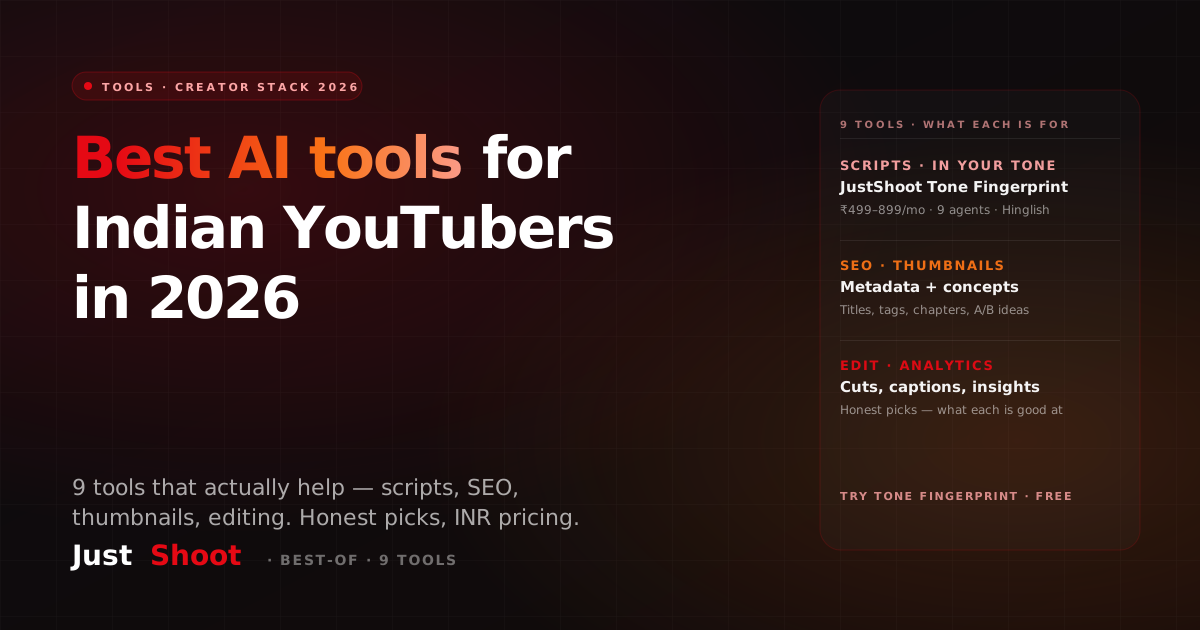
Best AI Tools for Indian YouTubers in 2026 — 9 Tools That Actually Help
The 9 best AI tools for Indian YouTubers in 2026 — for scripts, SEO, thumbnails, editing & analytics. Honest picks, INR pricing, and what each one is genuinely good at.
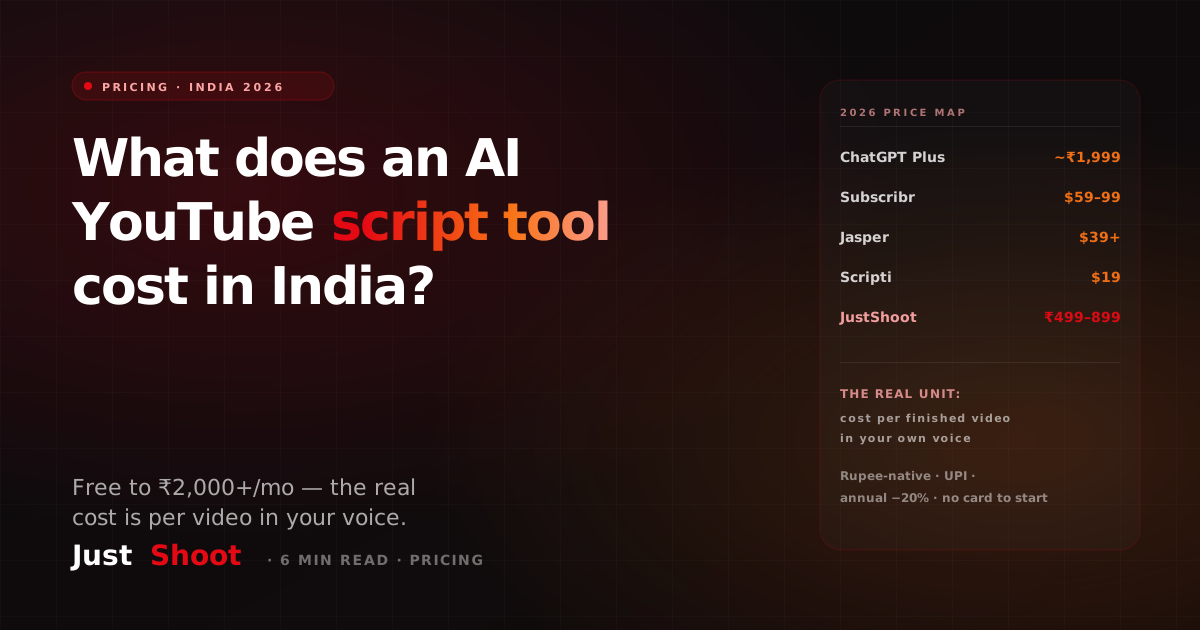
How Much Does an AI YouTube Script Tool Cost in India? (2026 Pricing)
AI YouTube script tools in India range from free to ₹2,000+/month. Here's the real 2026 cost breakdown — global USD tools vs India-priced plans — and the per-video math that decides what's worth it.